- Best Project Management SaaS: The Direct Answer
- The “Async-First” Standard: What Matters in 2025
- Top SaaS Tools for Remote Teams (Categorized)
- The Hybrid Trap: Avoiding Connectivity Blindspots
- Pricing & Scalability: Paying for What You Use
- Frequently Asked Questions
Best Project Management SaaS for Remote Teams: The Direct Answer
The best project management SaaS for remote teams in 2025 is ClickUp for general versatility, Linear for software development, and Asana for marketing/creative workflows. The top-tier choice must prioritize asynchronous collaboration—features like threaded comments, screen recording integration, and “assigned to me” dashboards—over simple chat, ensuring productivity across different time zones.
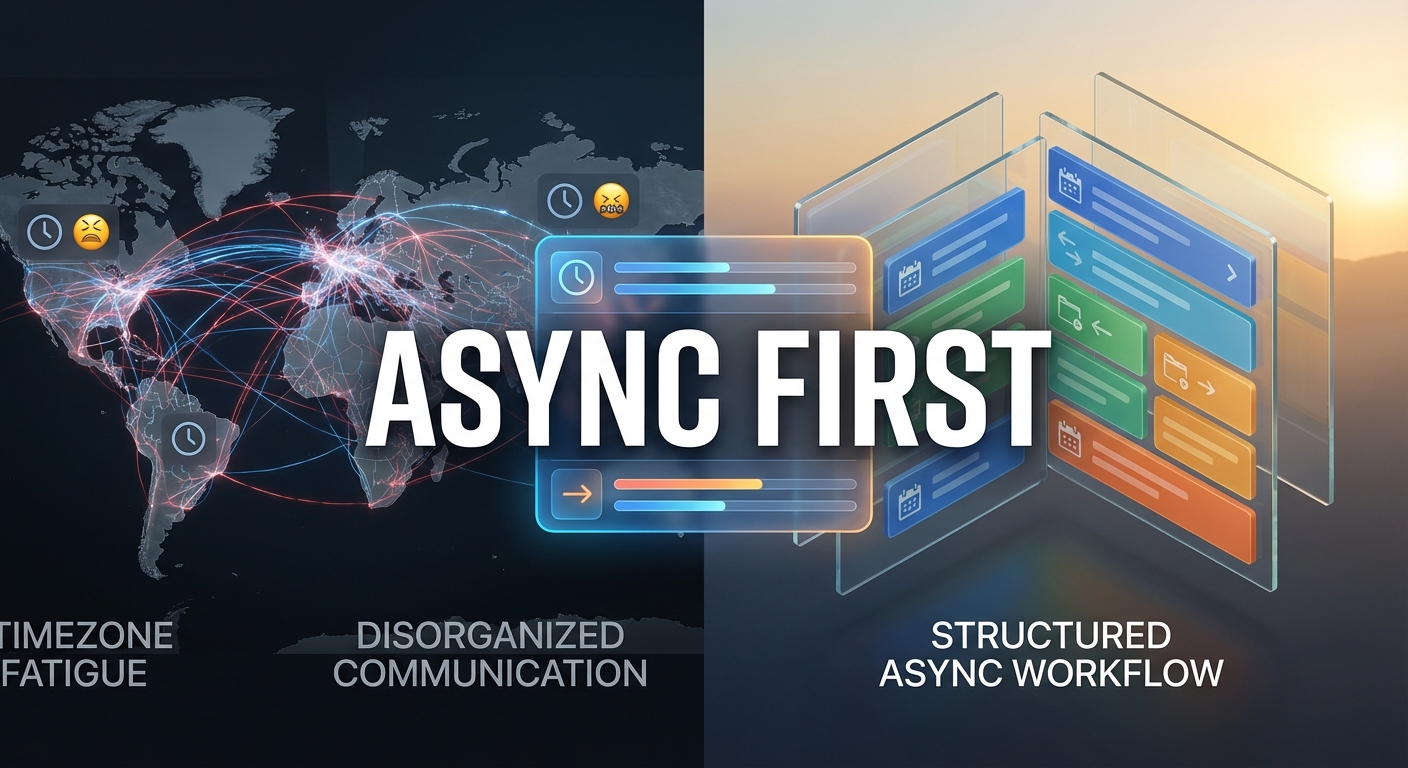
Managing a remote team is no longer about replicating the office online; it is about engineering a new way of working. The problem most managers face in 2025 isn’t a lack of tools, but a surplus of noise. When your team is spread across New York, London, and Tokyo, a “quick sync” meeting is mathematically impossible. This creates agitation: projects stall because approvals are stuck in a Slack DM, or developers waste hours in meetings that should have been emails. The result is “timezone fatigue,” where your team feels constantly on call but rarely productive.
The solution is to adopt a Project Management SaaS (Software as a Service) that enforces an asynchronous workflow. These tools act as the single source of truth, replacing the ephemeral nature of chat with the permanence of documented tasks. A common misconception is that “more features” equals “better tool.” For remote teams, the opposite is true. You need clarity, not clutter. As noted by industry reviews on The Digital Project Manager, the most effective tools for 2025 are those that reduce friction between time zones, allowing a designer in Berlin to pick up exactly where a strategist in San Francisco left off, without a single meeting.
The “Async-First” Standard: What Matters in 2025
If you are evaluating software for a distributed team, you must look beyond the Kanban board. Almost every tool has columns and cards. The differentiator for remote success is how the tool handles context. The problem with traditional tools is that they assume everyone is online at the same time. If a task is updated, it might just send a generic notification. In a remote setting, this leads to information silos where critical updates are buried in an email inbox.
The solution is to prioritize three specific features: Contextual Communication, Visibility, and Integration.
- Contextual Communication: Can you comment directly on a specific line of code or a pixel in a design? Tools like Linear and Figma excel here. This eliminates the need for a Zoom call to explain “which part” you are talking about.
- Visibility (The “Pulse”): Can a manager see the status of a project without asking a human? Good remote SaaS provides automated dashboards that aggregate progress. This reduces the need for “status update” meetings, which are the enemy of remote productivity.
- Integration Deep-Links: Does the tool play nice with your cloud storage infrastructure? You should be able to link a Google Doc or a GitHub PR directly to a task, creating a seamless web of resources.

Top SaaS Tools for Remote Teams (Categorized)
One size rarely fits all. A software development team has radically different needs from a marketing agency. The agitation comes when a company forces a creative team to use a developer-centric tool (like Jira) or vice versa. This friction slows down adoption and leads to “shadow IT,” where teams secretly use their own apps. The solution is to pick the tool that aligns with your primary workflow DNA.
| Tool | Best For | Key Remote Feature | Pricing Model |
|---|---|---|---|
| ClickUp | All-in-One / General | “Everything View” aggregates tasks from all departments into one screen. | Freemium / $7 user/mo |
| Linear | Software Engineers | Keyboard-first navigation & Git integration (speed is the priority). | Free / $8 user/mo |
| Asana | Marketing & Creative | Visual proofing & automated workflow rules for approvals. | $10.99 user/mo |
| Monday.com | Non-Tech Operations | Highly colorful, customizable columns for tracking anything (inventory, leads). | $9 user/mo |
For Developers: The consensus in 2025, supported by discussions on Dev.to, is that Linear has overtaken the heavyweights for pure speed. Its offline-first architecture means developers with spotty internet (digital nomads) don’t lose work.
For Creative/General: ClickUp and Asana remain dominant because they handle “unstructured” work well. If your task is “Brainstorm Q3 Campaign,” you need a tool that allows for sub-tasks, attachments, and visual timelines, which these platforms provide seamlessly. Just as you would use specific AI content creation tools to boost output, you should use a PM tool that automates your specific administrative overhead.
The Hybrid Trap: Avoiding Connectivity Blindspots
A new challenge in 2025 is the “Hybrid” model, where half the team is in the office and half is remote. The problem here is proximity bias. The people in the office make decisions over lunch or in the hallway, and the remote team finds out three days later. This creates a two-tier class system within your company, leading to resentment and turnover. The agitation for the remote worker is feeling like a second-class citizen who is always out of the loop.
The solution is to force all project management through the SaaS tool, even if you are sitting next to each other. This is often called “remote-first” culture. If a decision is made in the office, it doesn’t exist until it is written down in the ticket. Tools like Basecamp have championed this philosophy for years. By documenting the decision-making process, you democratize information. A common misconception is that this slows things down. In reality, it speeds things up because you have a searchable record of why a decision was made, preventing the same meeting from happening twice. Effective communication filters are crucial here; think of your PM tool as a filter for essential stories within your company, stripping away the noise and preserving the signal.
Pricing & Scalability: Paying for What You Use
Pricing for SaaS tools can be deceptive. The problem is the “per user” model. A tool might look cheap at $10/month, but if you have to pay that for every freelancer, client, and intern who needs to view a single task, your bill can explode to thousands of dollars overnight. This creates budget agitation, especially for startups or agencies with fluctuating team sizes.
The solution is to look for tools that offer Guest Access or Resource-Based Pricing.
- ClickUp and Monday.com are generous with “guest” seats, allowing you to invite clients to view progress without paying for a full license.
- Jira and Linear often charge for active contributors but allow free “view-only” access, which is perfect for stakeholders who just need to see the roadmap.
Frequently Asked Questions
What is the difference between Asana and Trello for remote teams?
Trello is a Kanban-based tool, ideal for simple, linear workflows where visualization is key. Asana is a more robust project management suite that offers list views, timelines, calendars, and advanced reporting. For complex remote teams requiring dependencies and detailed project tracking, Asana is generally the better choice.
Can I manage a remote team effectively using only free tools?
Yes, for small teams (under 10 people). Tools like ClickUp, Asana, and Trello offer robust free tiers. However, you will likely hit limits on “history” (viewing past activity) and automation features, which are critical for scaling remote operations efficiently.
Why is asynchronous communication important for remote work?
Asynchronous communication allows team members to work without interrupting each other. It removes the expectation of an immediate response, which reduces anxiety and allows for deep work. This is essential when teams are spread across time zones, as real-time meetings are often logistically impossible.
How do I track time in these SaaS tools?
Some tools, like ClickUp and Monday.com, have native built-in time tracking. Others, like Asana and Trello, rely on integrations with dedicated time-tracking apps like Harvest or Toggl. If billing by the hour is core to your business, choose a tool with native tracking to reduce friction.
Is Slack considered a project management tool?
No. Slack is a communication tool. Using it for project management is a recipe for disaster because tasks get lost in the chat stream. Slack should be used for quick discussions, but any actionable item should be immediately moved to a dedicated PM tool like Linear or Asana to ensure it is tracked and completed.